Visa · Mastercard · Discover · Apple Pay · Google Pay
Crash dump analysis to identify exact cause
Faulty driver identification & update/rollback
System file repair (SFC / DISM)
Memory diagnostic (Windows Memory Diagnostic)
Windows Update troubleshooting & repair
30-day guarantee — same BSOD returns = free re-fix
Short answer: Blue Screen (BSOD) Fix at RebootDoctor: $29.90 flat rate, typically 20-40 minutes, done remotely. We read your Windows crash dumps with WinDbg and BlueScreenView to find the driver or component behind each crash, run SFC and DISM to repair system files, test RAM when the pattern points to hardware, and remove bad Windows Updates. No fix, no fee, and a 30-day guarantee — if the same BSOD returns, we re-fix it free.
What This Fixes
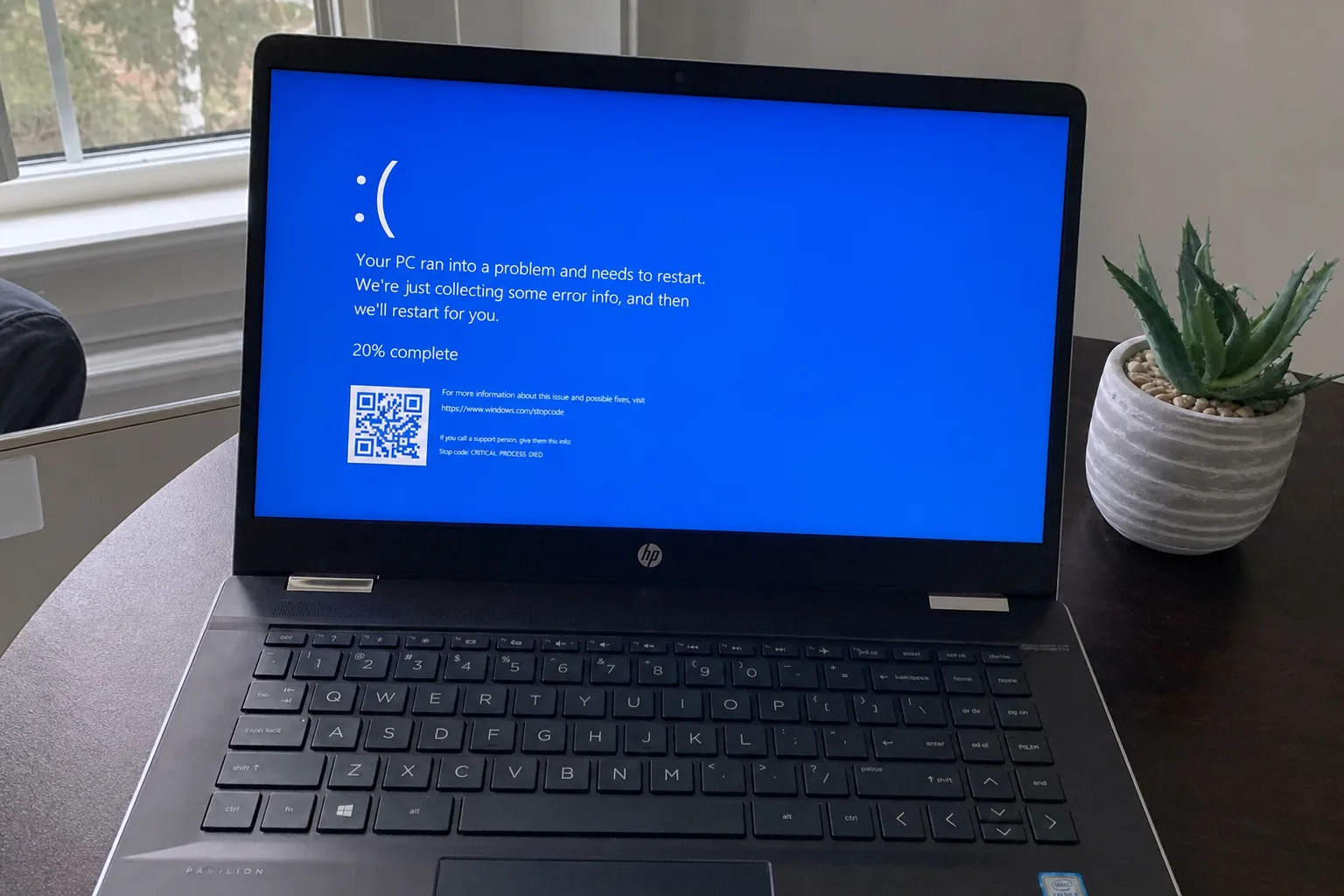
A blue “Your PC ran into a problem and needs to restart” screen with a stop code
Random restarts, especially while gaming, video-calling or waking from sleep
A crash that started right after a Windows Update or a new driver
A boot loop where Windows crashes before reaching the desktop (we work from Safe Mode or the recovery environment when we can reach it)
Crashes that only happen with one device plugged in — a dock, a USB adapter, a printer
What Does Your BSOD STOP Code Actually Mean?
That STOP code isn’t random — it’s Windows telling you which kind of failure it hit. The crash dump then usually names the exact file involved. Here are the codes we see most often and what they typically point to:
Stop code
Usual cause
What we check
IRQL_NOT_LESS_OR_EQUAL (0xA)
A driver accessed memory it shouldn’t
The driver named in the dump — often network, graphics or antivirus
DRIVER_IRQL_NOT_LESS_OR_EQUAL (0xD1)
A specific driver (.sys file) misbehaved
Update, roll back or remove that driver
PAGE_FAULT_IN_NONPAGED_AREA (0x50)
Faulty driver, bad RAM or damaged system files
Dump analysis, memory test, SFC / DISM
SYSTEM_SERVICE_EXCEPTION (0x3B)
Bug in a driver or system service, often graphics
Dump analysis, clean graphics driver reinstall
KMODE_EXCEPTION_NOT_HANDLED (0x1E)
Kernel-mode driver error
Recently installed drivers and software
MEMORY_MANAGEMENT (0x1A)
RAM fault or memory corruption by a driver
Windows Memory Diagnostic, driver review
CRITICAL_PROCESS_DIED (0xEF)
A core Windows process stopped
System file repair, disk health, update history
DPC_WATCHDOG_VIOLATION (0x133)
Storage driver or SSD firmware not responding in time
Storage controller driver, SSD firmware version
WHEA_UNCORRECTABLE_ERROR (0x124)
The CPU reported a hardware error
Event logs, temperatures, overclock settings
VIDEO_TDR_FAILURE (0x116)
Graphics driver stopped responding
Clean GPU driver install, GPU temperatures
INACCESSIBLE_BOOT_DEVICE (0x7B)
Windows can’t read the boot drive
Storage mode in BIOS, boot configuration, disk health
DRIVER_POWER_STATE_FAILURE (0x9F)
A driver mishandled sleep or wake
Power settings and the driver named in the dump
If the evidence points to failing hardware — RAM errors, a dying SSD, overheating — we tell you exactly which part is the problem. We don’t replace parts ourselves; that’s local hardware work.
Typical fix time: 20–40 minutes. Price: $29.90. No fix, no fee.
What’s Included in Remote BSOD Diagnostic?
Crash Dump Analysis. We use Microsoft WinDbg and BlueScreenView to read your system’s crash dumps and identify the driver, service, or hardware component behind each BSOD.
Driver Repair. Once we identify the culprit, we update it, roll it back to a stable version, or replace it with a compatible alternative.
System File Check. We run SFC and DISM to repair any Windows system files that may have been corrupted by repeated crashes.
Memory Testing. If the BSOD pattern suggests RAM issues, we run Windows Memory Diagnostic and interpret the results.
Windows Update Fix. Some BSODs are caused by a bad Windows Update. We can uninstall problematic updates and pause them until Microsoft issues a fix.
Got the minidump files but BlueScreenView's driver name doesn't ring a bell? Zip up C:\Windows\Minidump and send it on WhatsApp — we'll tell you what the .sys filename belongs to.
I keep getting IRQL_NOT_LESS_OR_EQUAL. What does that mean?
It’s usually a driver trying to access memory it shouldn’t. The crash dump tells us which driver — commonly a network adapter, graphics or antivirus filter driver.
My PC doesn’t save crash dumps. Can you still help?
Often, yes. We check that Windows is set to write dumps and that the page file is large enough, then use Event Viewer and reliability history in the meantime. The next crash then leaves evidence we can read.
Can you fix hardware-caused BSODs remotely?
We can diagnose hardware faults remotely by analyzing crash patterns. If your RAM or SSD is failing, we’ll tell you exactly what to replace. The replacement itself requires local hardware work.
Will I lose my files during the fix?
No. We don’t reinstall Windows unless absolutely necessary, and even then we back up your data first. Most BSOD fixes don’t require a reinstall.
Need Expert Help?
If these steps didn't fix your issue, our technicians can diagnose and fix it remotely while you watch.